Click Handler
Palito offers a set of contextual handlers triggered by Ctrl + Click on a node.
This document explains the function and usage examples of each handler.
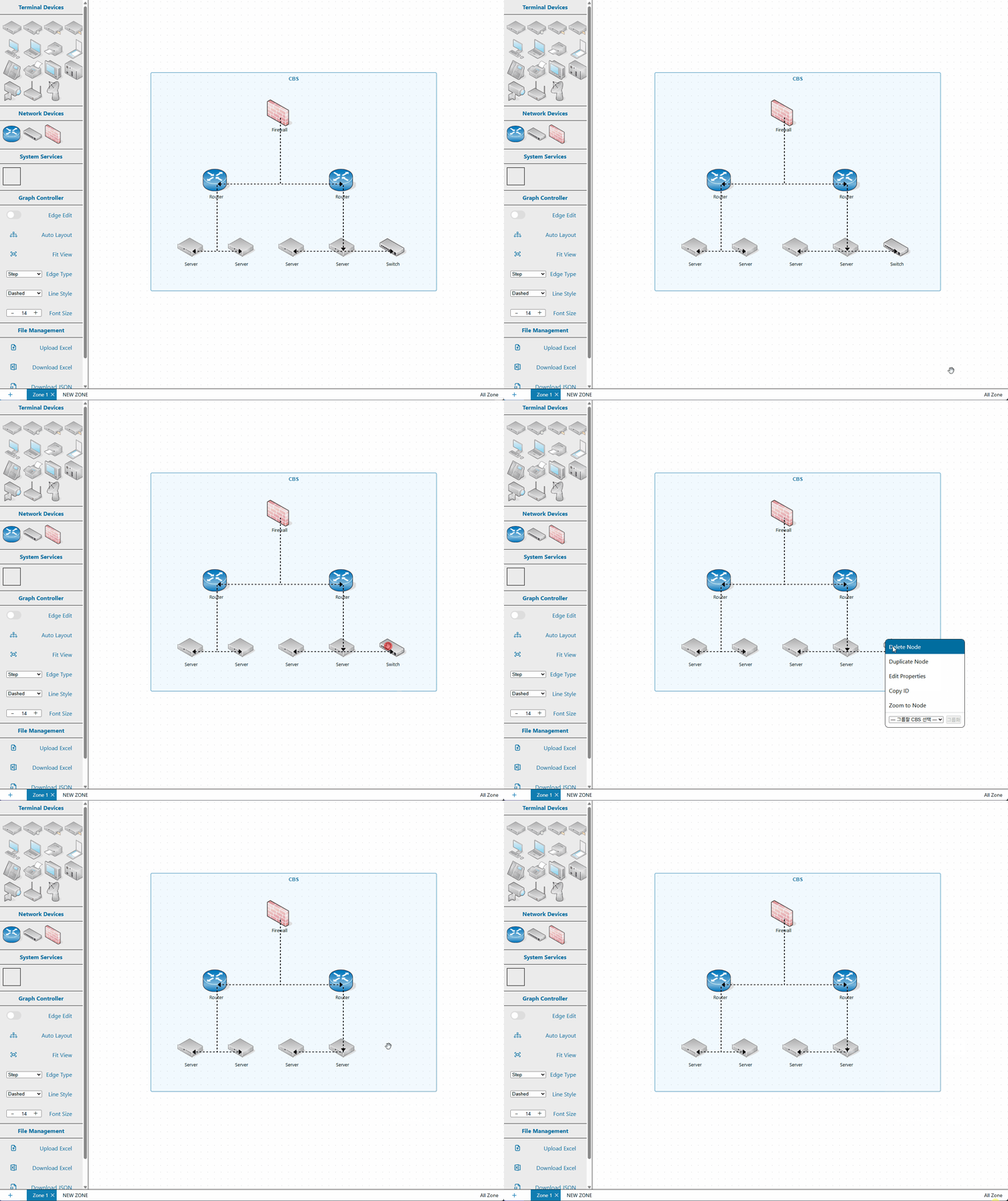
1. Delete Node
Deletes the selected node.
All connected edges are also removed.
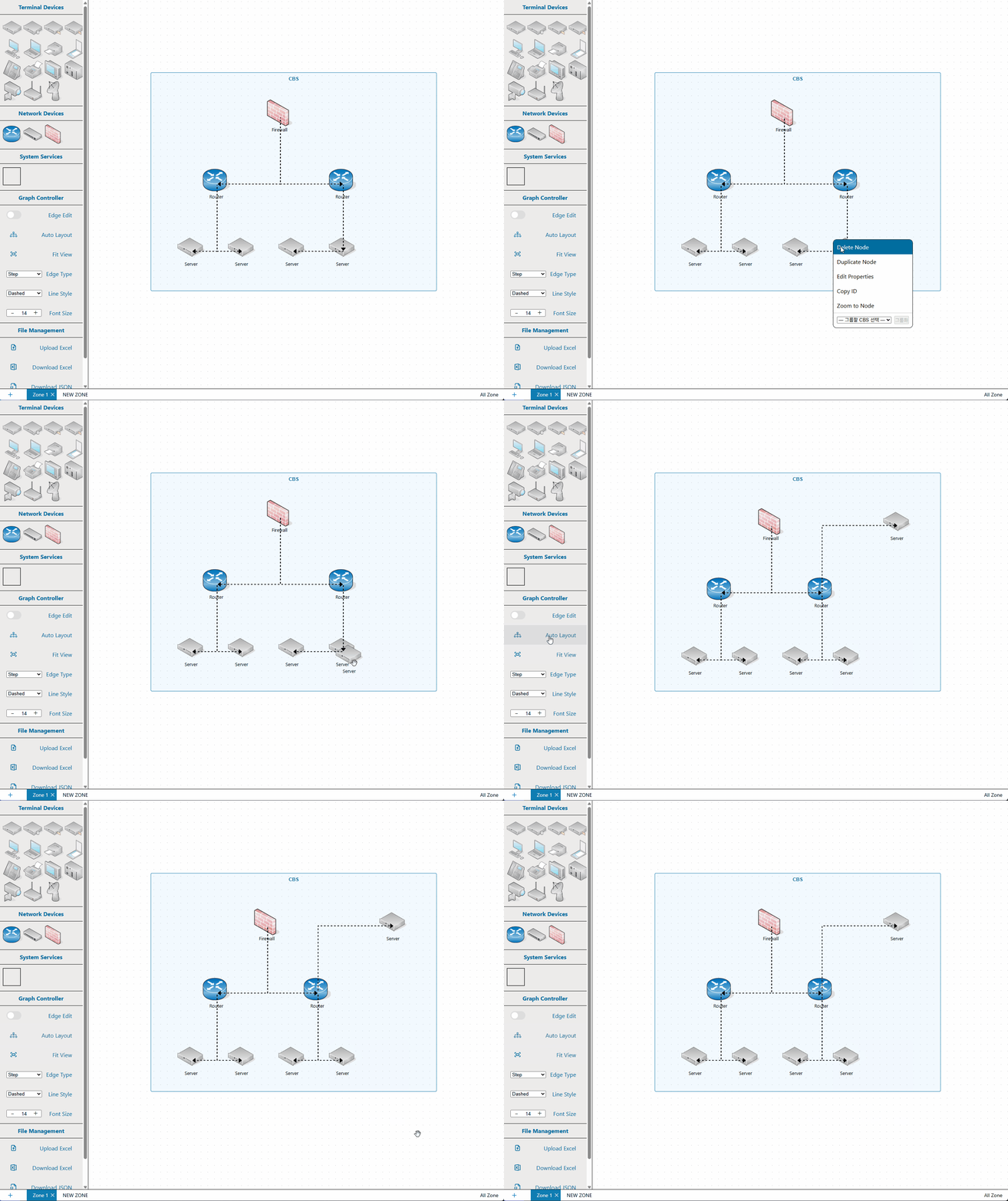
2. Duplicate Node
Duplicates the selected node at the same location.
The cloned node retains all connections and system data from the original.
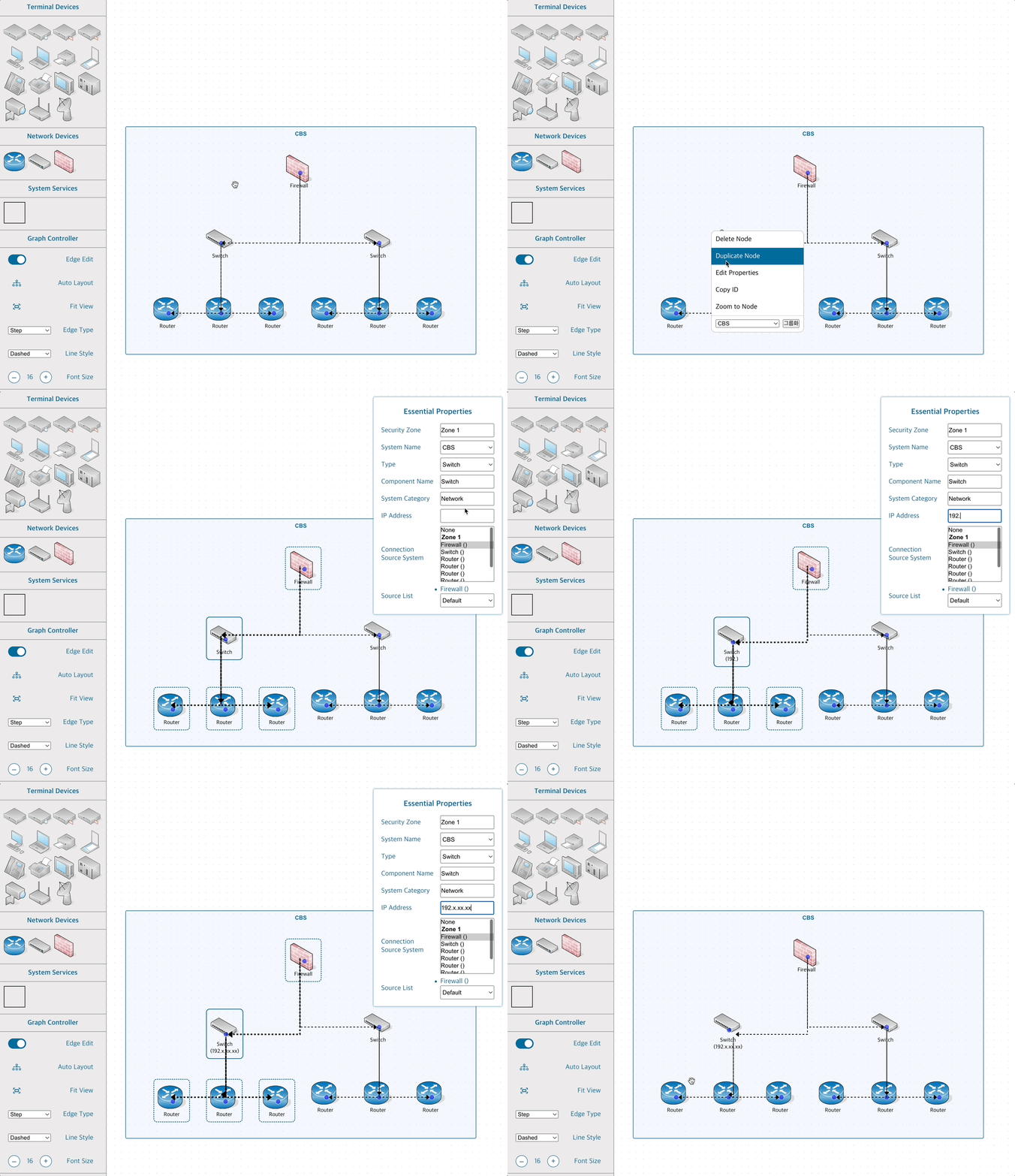
3. Open Node Info Tab
Opens a detailed information panel for the selected node.
This panel allows you to modify the node’s attributes.
4. Copy Node ID
Copies the node's unique ID to the clipboard.
This helps administrators identify the node precisely.
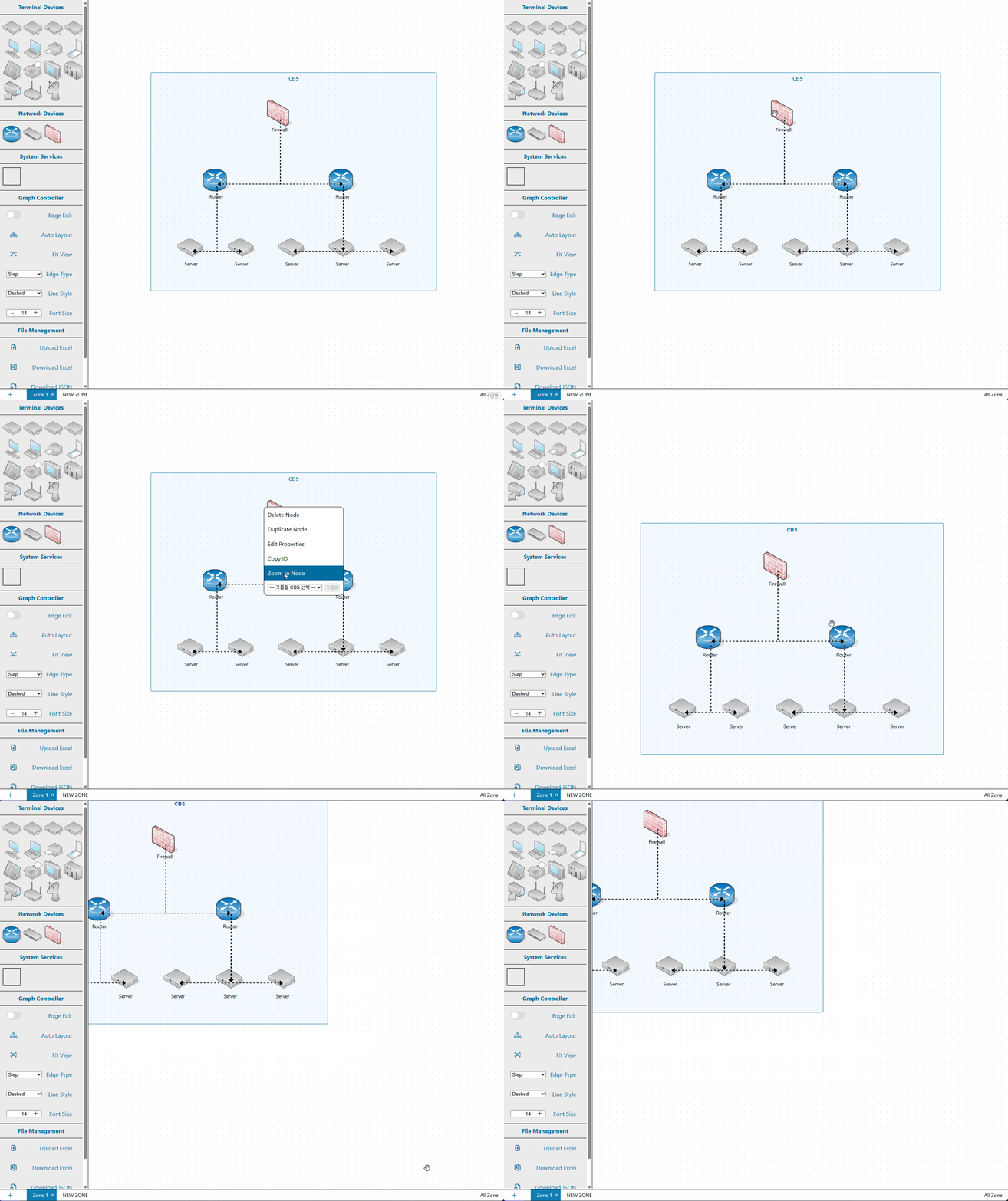
5. Zoom to Node
Focuses and zooms the canvas to center the selected node.
6. Grouping
Moves selected nodes into a CBS (System Node) group.
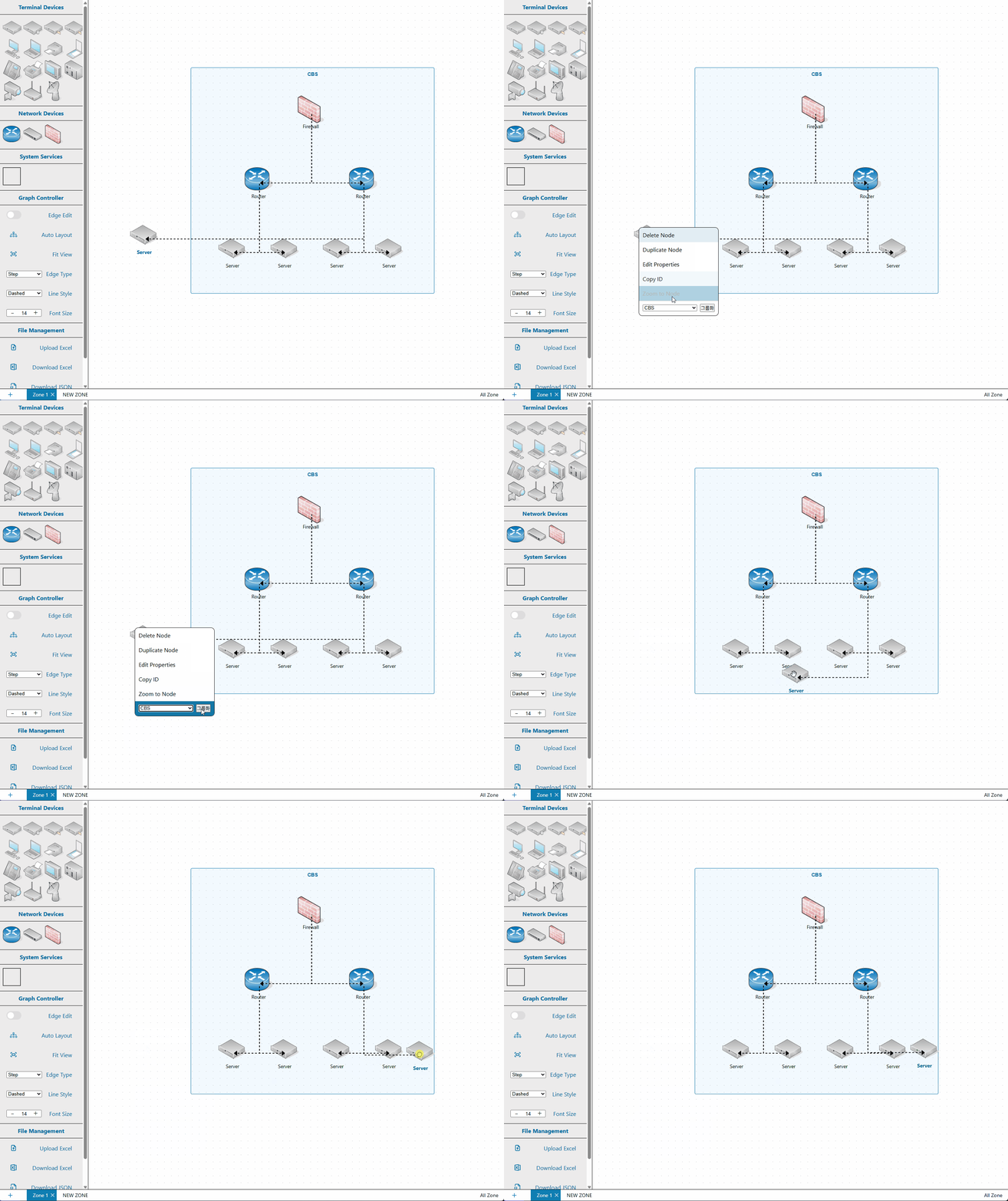
These handlers help you manage nodes intuitively and support flexible infrastructure design.